Your Apple Watch, as a heart rate strap.
Watch HR Bridge broadcasts your Apple Watch heart rate over Bluetooth, so Zwift and other cycling apps pair with it like a chest strap.
100% freeNo adsNo accountOpen source
View on GitHub
How it works
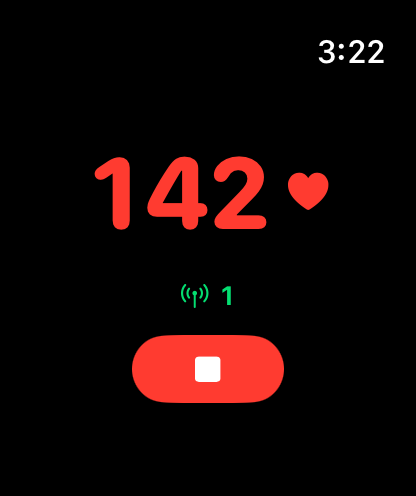
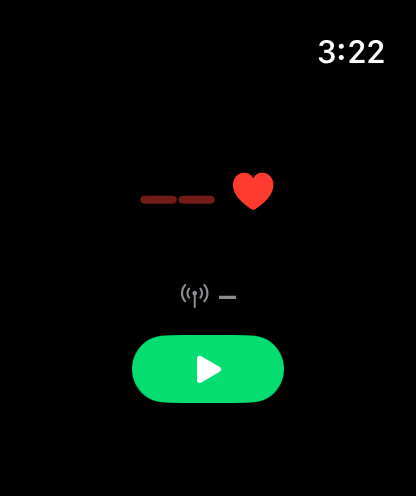
- Open HR Bridge on your Apple Watch and tap ▶.
- In Zwift (or any app that takes a Bluetooth heart rate sensor), open the pairing screen and choose Watch HR under Heart Rate.
- Ride. Tap ■ on the watch when you finish.
Why it exists
The Apple Watch can't be paired to Zwift as a heart rate monitor out of the box. This app makes the watch advertise itself as a standard Bluetooth heart rate sensor (the same service chest straps use), so any app that supports one can read it.
- Works straight from the watch. There is no iPhone app to keep open.
- Live heart rate, about once a second.
- Nothing is saved to Health and nothing leaves your devices.
Good to know
- It starts a cycling workout on your watch so the heart rate sensor stays on. The green sensor lights stay on and the battery drains like any workout until you tap ■.
- Requires an Apple Watch on watchOS 10 or later.
- A Bluetooth heart rate sensor has no pairing password, so anything in range can connect while you're broadcasting. Stop the session when you're done.
Something not working? See Support.